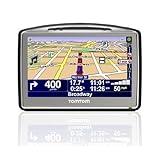
Pros
* Handsome -- best looking GPS I've tested to date
* New windshield mount is an improvement over previous TomToms
* Hardware feels solid and well engineered
* Text-to-speech voices sound natural
* Tons of configurable options
* Fast power-on time (boots up quickly)
* Timesaving address entry features, such as displaying recently used city and street names
* Strong FM Transmitter works well. So strong it can even broadcast over another radio station without issue
* New (Tele Atlas) maps are excellent
* Ability to customize which POI categories are displayed on the map
* Supports multi-destination routing (although not route optimization)
* Broad language support
* Lots of routing options to choose from (fastest time, shortest distance, bicycle, pedestrian, etc.)
* Ability to download and install additional voices
Cons
* Poor documentation (important items are either briefly explained, or not covered at all. Manual is also UK-specific)
* Manual makes reference to features that the GO 720 doesn't actually have, such as voice recognition (European version has this feature, US version does not (but the manual doesn't explain that))
* Cluttered user interface
* Slow to accept missed turns: the GO 720 either insisted I make a u-turn, or went nuts and showed me driving off road
* Can't search across all States, only within a specified State
* Important functions are hidden by default, and must be manually enabled (for example, the ability to cancel a route)
* When entering an address into the GO 720, you must choose the State, even if you're using a zip code (sort of defeats the purpose of allowing the use of Zip codes here in the United States)
* Major GPS Drift when stationary (GPS position "drifts" around in circles)
* Poor GPS signal reception (as of this writing, using version 7.0.0) compared to other SiRF enabled GPS units
* "Night" mode only changes the color scheme on the map, not the other menu screens
* Multi-destination (itinerary) route planning is cumbersome
* TomTom PLUS services require the use of a compatible Bluetooth-enabled cell phone
* Short list of compatible cell phones (for Bluetooth enabled hands-free calling and TomTom's PLUS services) means most cell phone owners in the US will be unable to use TomTom's PLUS services
* Automatic screen dimming feature is too sensitive. When enabled, the GPS switches in and out of night mode constantly if you drive anything other than a convertible in the California sun
* Routing engine not as good as Garmin or Magellan
* MapShare doesn't let you see which specific roads were updated -- it just tells you that "updates were applied"
* Some menus return you to the previous page, others dump you back to the map view for no apparent reason
* Screen not as bright as other GPS units
* When announcing highway names, the GPS says "highway six-hundred-and-eighty-four" instead of "six-eighty-four"
* Fingerprint prone exterior case
Conclusion: 65/100
I really wanted to love the TomTom GO 720. With enough features to make a grown man drool, the exceedingly elegant GO 720 is one good looking piece of hardware that lets you customize just about every aspect of the interface. I was especially fond of the powerful built-in FM transmitter, the ability to broadcast music and spoken navigation instructions over different sources (i.e. music via the FM transmitter and instructions via the built-in speaker), and the ability to make map corrections on the fly. I also appreciated the ability to easily create custom POIs and POI categories, and TomTom's unique time-saving address entry features.
The GO 720 has excellent text-to-speech that sounds natural, and can announce actual street names instead of generic maneuvers (although for some odd reason this feature is disabled by default). I also loved the ability to enter a preferred arrival time, and have the GPS report exactly how early or late I would arrive at my destination.
The GO 720 ships with TomTom's software version 7.0 installed (also known as NavCore 7). A significant update to previous GO software, version 7 is literally busting at the seams with new features. Nearly every aspect of the GO 720 can be customized, from compass preferences to custom vehicle icons and voices, to TomTom's much-touted MapShare -- a unique set of features that allow the user to make map corrections and POI corrections/updates directly on the device.
Unfortunately, the TomTom GO 720 suffers from many of the same drawbacks that have plagued TomTom's products for years.
Despite being equipped with SiRF's high performance GPS receiver, the GO 720 had a hard time maintaining reception, and occasionally thought I was driving off the road altogether. The GO 720 also had a hard time dealing with missed turns, frequently asking me to make U-turns and double back instead of re-routing based on the new course. The GO 720 also exhibited some of the most severe GPS 'drift' I've ever seen (a condition that causes the GPS to think it's moving even though it's not).
Adding to the frustration, for some inexplicable reason TomTom hides many important features on the GO 720. For example, by default there is no way to cancel a route. In order to cancel a route, you'll first need to enable the hidden menu, and even then it will take 4 screen taps to cancel the route (very annoying when driving). The Bluetooth integration is a nice feature to have, but so few cell phones are supported that the functionality is seriously limited. Speaking of which, in order to make use of any TomTom PLUS features, such as real-time traffic data, you must have a Bluetooth compatible cell phone (and accompanying data plan) paired to the GO 720. By contrast, both Garmin and Magellan provide traffic services via an included antenna and don't require any additional hardware.
Like previous TomTom products, things feel rushed with the GO 720; the included documentation is for the UK and references features not available in the North American version. TomTom's support website doesn't even list the GO 720 as a valid model, and TomTom's PLUS site has been "down for maintenance" for over 48 hours as of this writing. Trying to download the product manual for the GO 720 from TomTom's website results in an error message stating that no such manual exists yet. The interface feels cluttered, as TomTom's software engineers have packed the GO 720 to the gills with features and options that haven't improved the most basic requirement of getting you from point A to B.
The GO 720 has a long list of great features that just might keep you distracted long enough not to notice that the core functionality of the GPS doesn't work that well. TomTom's routing engine remains poor compared to Garmin or Magellan, and the GO 720 consistently chose the worst route in my testing.
If TomTom spent as much time on software development as they clearly spent on hardware design, the GO 720 would be a fantastic GPS indeed. Unfortunately the GO 720 still needs work, and I can't quite recommend it just yet.
The TomTom GO 720 is a beautiful GPS that will impress at first, but disappoints soon after the honeymoon wears off.Get more detail about TomTom GO 720 4.3-Inch Widescreen Bluetooth Portable GPS Navigator.


TomTom GPS - Reviews & Cheap Price, Buy Car Navigation
ReplyDelete