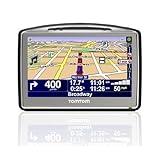
Preface- I recently took a new job which required me to move from Colorado to California. I decided I wanted to get a GPS for the trip and for the time while I was in CA, since I didn't know anyone and have never been. I felt it might make my trip easier. Based on my research I decided to purchase the newly released GO 720 from TomTom.
How I came to decide on the TomTom Go720. Initially I was going to get a Nuvii 350 from Garmin. Here is what sold me on the TomTom:
* Text-to-Speech -- to me this should be standard on any GPS in any price range. For the first part of my trip I had actually set up the TomTom in an incorrect voice and I didn't get the text-to-speech. I will say that this is NOT perfect, as pronunciation of some words is hard to make out exactly what she is saying.
* Hands-Free / Bluetooth Enabled -- I liked this feature, I will admit that I did not set my phone to connect to the Go 720, but my phone is recognizable by the TomTom so I imagine it would work. Maybe I'll play with this later.
* Map-Share -- How great is this, to be able to share maps with other members. I personally have not shared any maps or explored shared maps, but I think it is a great idea, and was an idea that sold me.
---
Well over all, I'd call it a success.
When I set the GPS up for the first time, I didn't select a computer voice, which is the only voice that can do text-to-speech, so I was getting the `in 500 yards, turn left' type message instead of `in 1/2 mile turn right on Grant Ave' or whatever. Got that sorted out.
Love the searching for POI's..Made planning breaks for gas very easy. I had a disucssion with a co-worker today, who had actually started about 2 weeks before me and moved from Connecticut. He and and his wife purchased a GPS from Garmin (don't know model number). The two of us basically came to the conclusion that these GPSes were good for getting you in the general area, but with new construction and maps that aren't real-time it isn't 100% accurate.
Only thing I didn't like was I searched for a McDonald's and it actually turned me around and took me back about 5 miles via residential areas..could have done w/o the going backwards part, but we can blame that on my inexperience.
One other thing that I'm not particularly fond of is in a city, around interchanges and what not, it will tell you to keep left, or keep right, etc. What it doesn't say is, are you supposed to keep left to exit or just keep left to not exit? I'd like a clearer view of why I am keeping left, and how far left do I need to be? When there at 6+ lanes here in CA, how far left do I want to be? The work around for this would be the `Zoom-In' and `Zoom-Out' buttons in the upper corners. A + or - sign in the upper corners allows you to scale the map to see your destination in a different view depending on the view you selected.
The window suction cup thing won't hold...I have a sticky foam pad, but for some reason it won't stick to my dash (no real flat place I think). I may try and find a mount for something other than the glass. So I guess my biggest gripe is just the inability to mount this thing in a good location that is easily manageable.
The FM transmitter is nice, until I got to CA where all the frequencies have something broadcasted. Then I just had to turn it over to the internal speaker, which is loud enough for me. I didn't hook it it up to my phone yet to see if it would dial POI's or set it up to do any hands-free dialing and what not.
--Additional Thoughts--
Navigation of the menu system to me seems to be lacking...too many clicks necessary to get where you want, but again this could just be my lack of time spent with the device and over time I may find a quick means to find what I'm looking for. One feature I would like is maybe voice navigation.
So...if I had to do it all over again, I would buy this. In the past I would just Google-Map something and have a short stack of papers for Metro areas and what not to get me around. No more killing trees for me.
Here in my particular area, there is a lot of new construction. With construction, TomTom is not updated. POI's are no longer where TomTom says they are. This is of course new construction only. For most POI's this is not a problem.
TomTom sent me in the wrong direction on a couple of occasions. This is frustrating for me in the area that I'm in, and wish it were more accurate, but understand this is not real-time. Again these particular issues were related to (new) construction where traffic may be diverted.
So my TomTom has become more of a `get me in the general area' tool, more so then how do I get to the door step tool. When looking for a retail store, it'll give you the bulk of the trip, once you can see a sign and what not, I just take over and navigate myself. So initially I was a little more dependent upon the TomTom, now like I said, I'm just using it to get me close, and I take it the rest of the way in.
I still love it for finding me POI's and just general navigation as I get around town. Over time it may spend more time in my glove box than out telling me how to get somewhere.
Still a great tool, and still recommend for someone who travels to new places often. As I decide to travel more throughout Cali, I'm sure it'll come in handy.
Get more detail about TomTom GO 720 4.3-Inch Widescreen Bluetooth Portable GPS Navigator.


No comments:
Post a Comment